ASCII vs Unicode vs UTF-8: The Practical Difference
Confused by ASCII, Unicode, and UTF-8? This guide explains the three layers with practical examples, debugging tips, and common pitfalls.
If you have ever seen "garbled text" in logs or a question-mark diamond in your UI, this article is for you.
The short version:
- ASCII is an old character set (mainly English).
- Unicode is the global character standard (what character you mean).
- UTF-8 is an encoding format (how that character is stored as bytes).
One Concept, Three Layers
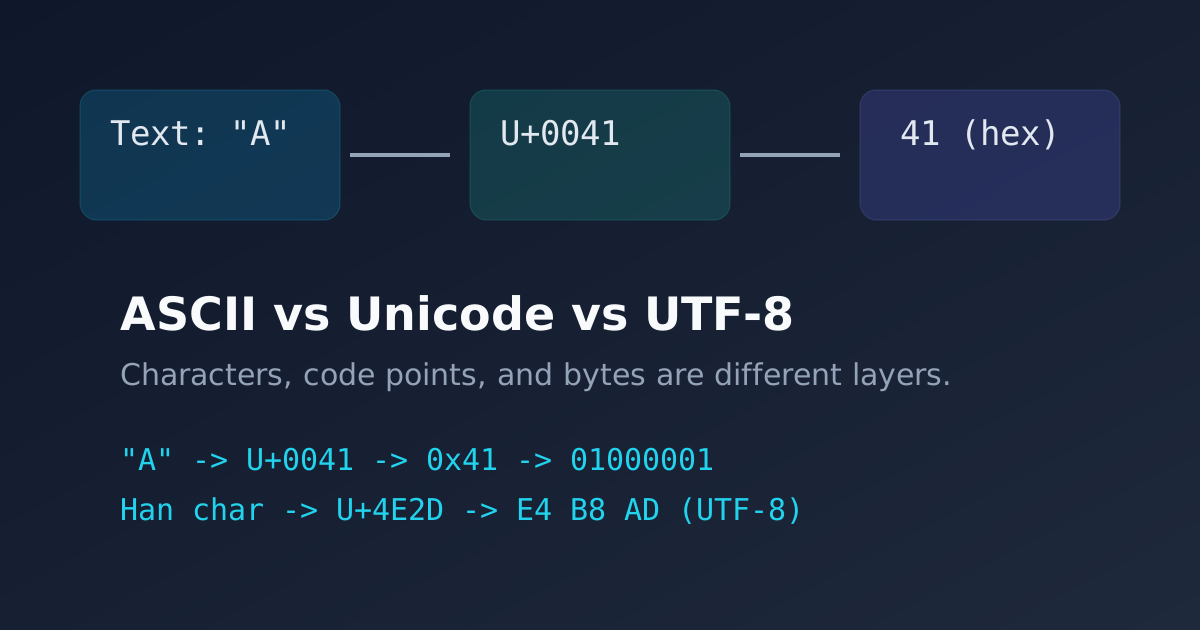
Think in layers:
- Character: what humans read, like
A. - Code point: Unicode id, like
U+0041. - Bytes: storage form, like
41in hex (01000001in binary for UTF-8).
For a non-ASCII example:
- Character: the Han character
中. - Code point:
U+4E2D. - UTF-8 bytes:
E4 B8 AD.
Why ASCII Still Matters
ASCII has only 128 characters. It is small, stable, and still used in:
- Network protocols
- Legacy file formats
- Command line tooling
Good news: UTF-8 is backward compatible with ASCII, so old English text keeps working.
Why Unicode Matters
Unicode gives every character a unique id. It is not tied to one language.
Without Unicode, modern apps would fail on:
- Multilingual names
- Currency symbols
- Emoji and icon-like characters
Why UTF-8 Became the Web Default
UTF-8 is popular because it balances compatibility and space:
- English text stays compact.
- International text is supported.
- Most browsers, APIs, and databases use UTF-8 by default.
Quick Debug Checklist for "Mojibake"
When text looks broken:
- Confirm file encoding in editor (UTF-8).
- Confirm HTTP header includes charset:
Content-Type: text/html; charset=utf-8- Confirm database connection and column collation.
- Confirm copy/paste pipeline is not converting encodings.
- Confirm your terminal font supports the character.
Mini Lab
Try these in your converter:
- Convert
Helloto binary and back. - Convert mixed text with symbols.
- Compare byte length between short English and multilingual text.
Final Takeaway
Treat encoding as infrastructure, not decoration. Most text bugs happen because one system assumes a different layer than another.
If you remember one line, remember this:
Unicode defines characters; UTF-8 defines bytes.